Scheduled Disk Replication with Gmail Alerts
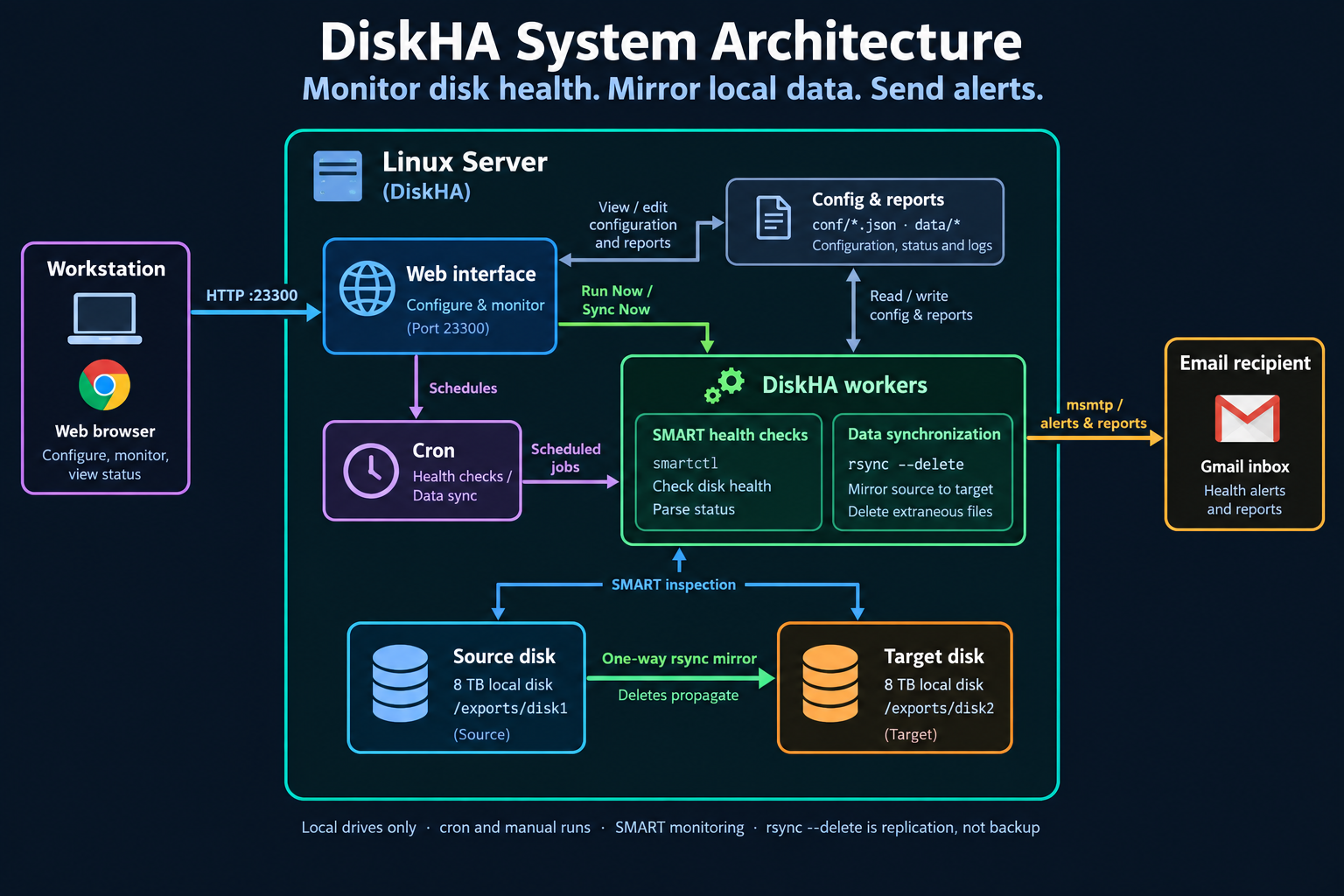
Table of Contents
- Overview
- Pre-Requisites
- Download & Install
- Configuring the Web Interface
- The Web Interface
- Development
- Comments? Questions? Feedback?
Overview
This project implements basic disk replication between two local disks. DiskHA uses rsync to synchronize the data and cron to schedule it. It ships with easy-to-use install and uninstall scripts. DiskHA also includes a web interface to:
- Choose source and target directories.
- Set a SMART health check (cron) schedule.
- Set a (rsync) data synchronization (cron) schedule.
- Execute a manual (SMART) health check.
- Email a (SMART) disk report to a Gmail account.
IMPORTANT NOTES:
- The
rsyncoperation includes the--deleteflag, which means that delete operations on the source are propagated to the target. This app is about replication, this is not a backup solution. - This app does not support RAID or LVM drives.
Example Use
I use this software on my NFS server. I have a pair of 8 TB drives. I export the source as read-write. When I have a disk failure, I power down the server and disconnect both drives until I have received a replacement. When the disk arrives, I connect it (power, data), power up, create a filesystem, update the UUID in the /etc/fstab. Finally, I fire up DiskHA, reconfigure the sync directories and click on Sync Now.
This design follows the (K)eep (I)t (S)imple (S)illy principle.
Pre-Requisites
You need to install msmtp and setup your Gmail account to use it.
See the msmtp with Gmail setup.
Download & Install
You can download the latest release tarball from GitHub or you can clone the repo with git:
sudo git clone https://github.com/NadimGhaznavi/disk-ha
cd disk-ha
sudo ./scripts/install.sh
- The DiskHA software installs into
/opt/prod/diskha.
DiskHA Linux Services
The DiskHA software creates four systemd service units:
| Service | Purpose | Runs as |
|---|---|---|
| disk-ha-web | Persistent web interface | diskha |
| disk-ha-health | Manual disk health check | root |
| disk-ha-email-report | Requested verbose health email | root |
| disk-ha-sync | Manual disk synchronization | root |
Only the web service runs continuously. The other three are one-shot jobs started from the UI. Scheduled health checks and synchronization run through root’s cron.
There are four service units, but only one persistent application server.
Configuring the Web Interface
Network and timeout settings are in /opt/prod/diskha/conf/diskha.json.
See listener configuration
for defaults, overrides, and restart instructions.
The Web Interface
The web interface is broken down into sections.
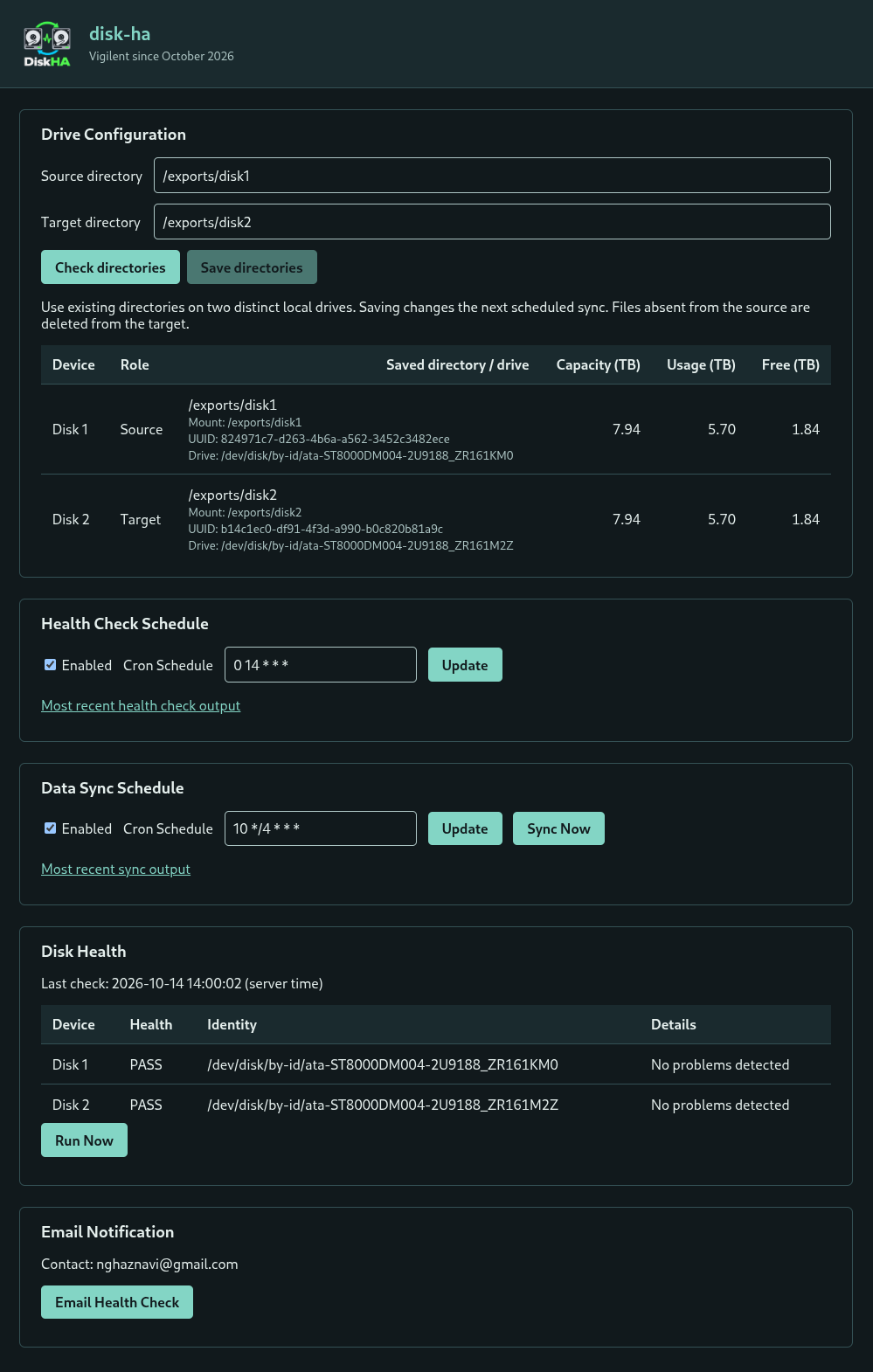
Drive Configuration
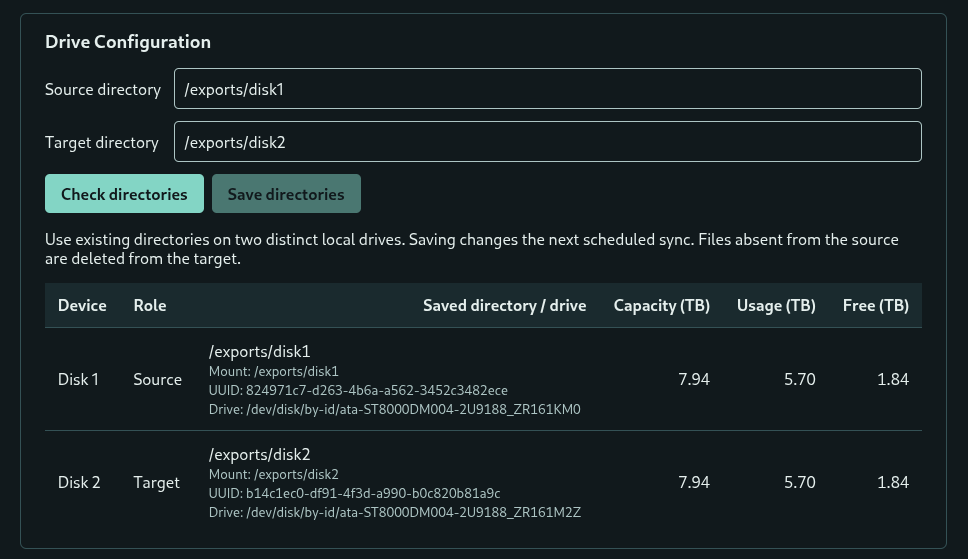
The source and destination directories are configured here. These should be on two different local disks.
Health Check Schdule

The cron health check schedule is set here. Run man 5 crontab to learn about cron job scheduling.
Data Sync Schedule

Configure the cron data sync schedule here.
Disk Health
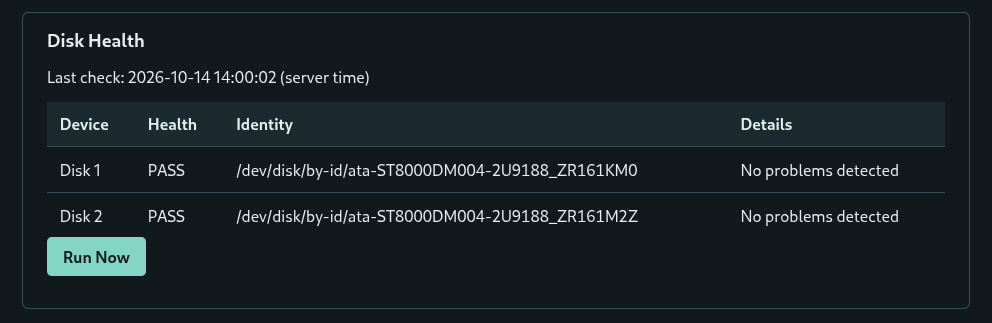
This section shows the latest disk health check results and includes a Run Now button to manually trigger a health check.
Email Notification

This section shows the configured Gmail address and also includes an Email Health Check button. This can be used to test your email notification configuration.
Development
Follow the coding guidelines when contributing changes.
Comments? Questions? Feedback?
If you like this project and/or find it useful. Please give the GitHub Repo a star.
Please contact me if you find any bugs or would like to see additional features.